Can they email as me? Building a free domain spoofing check
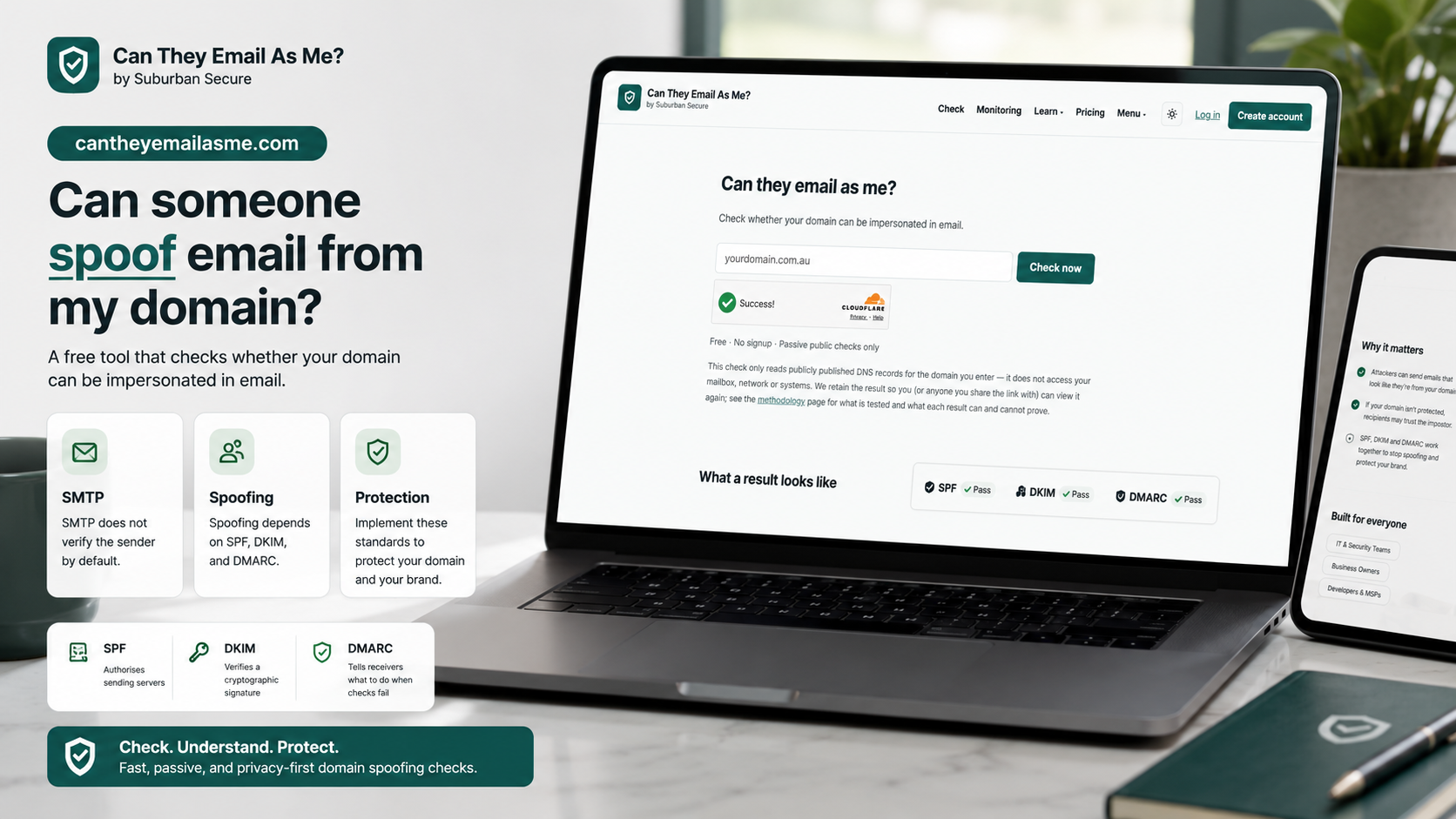
I have launched a new project in preview: Can They Email As Me?
It is a free tool built around one deliberately narrow question:
Can someone else send an email that looks like it came from my domain?
The check requires no account, no mailbox access and no email credentials. You enter a domain, it reads publicly available records, and it explains the result in plain English.
- Free to use during preview
- No signup or software installation
- Passive checks of public records only
- A result that can be shared with a colleague or IT provider
This is a more focused follow-on from the broader cyber security check I built for businesses and charities. That project checks a range of public email, DNS and website signals. This one goes deeper on a question that deserves a clear answer of its own.
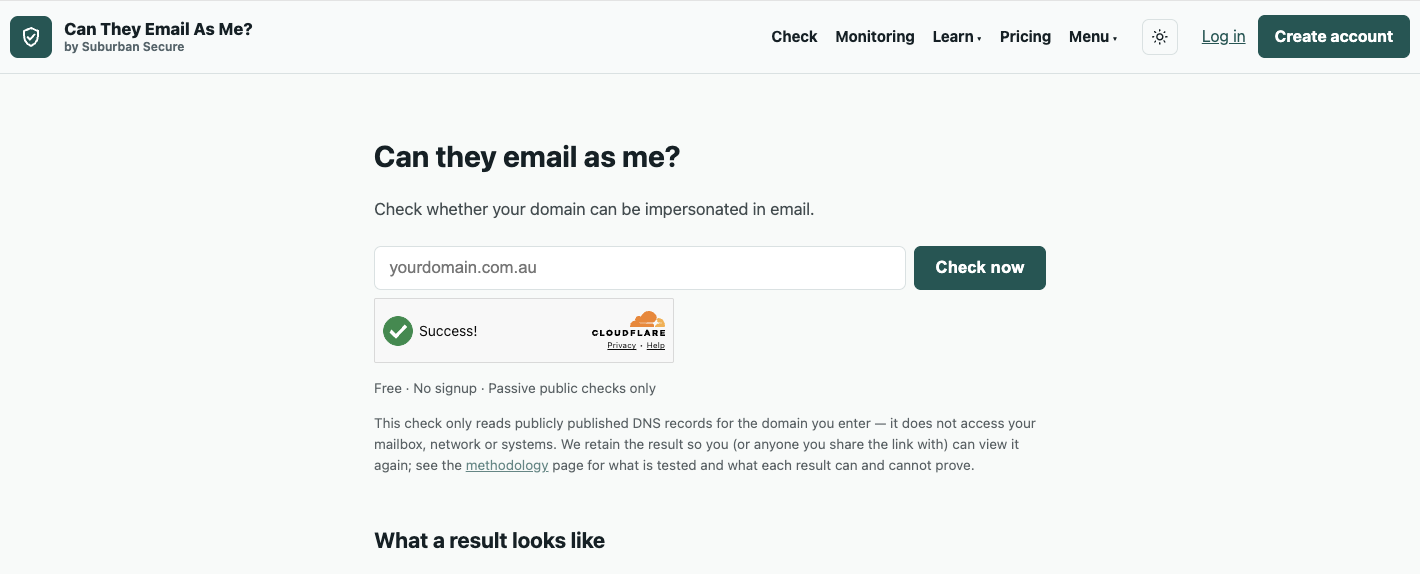 The preview reads public records and returns a plain-English result without accessing a mailbox.
Why email can be impersonated at all
Email’s underlying protocol, SMTP, was not designed to prove that the address in the From field belongs to the person sending the message. In its basic form, that address is a claim—much like the return address someone writes on a paper envelope.
That leaves receiving mail services to look for additional evidence:
- Is this server authorised to send mail for the domain?
- Does the message carry a valid cryptographic signature?
- Has the domain owner told me what to do if those checks fail?
Three standards provide those answers.
SPF, DKIM and DMARC do different jobs
These acronyms are often presented as a single technical bundle, but each one has a distinct role:
- SPF publishes which mail systems are authorised to send on behalf of a domain.
- DKIM adds a cryptographic signature that receivers can validate using a public key in DNS.
- DMARC connects authentication to the visible From address, tells receivers how to handle failures, and provides a reporting mechanism.
The important distinction is that simply publishing a DMARC record does not necessarily stop spoofing. A policy of p=none is for monitoring. It asks for reports but does not ask the receiving service to quarantine or reject a failed message.
Moving to enforcement should not be rushed. An organisation first needs to identify every legitimate service sending on its behalf—Microsoft 365 or Google Workspace, certainly, but perhaps also a payroll platform, CRM, website, ticketing system, newsletter service or an old line-of-business application nobody remembered was still sending mail.
That is why the tool reports what it can see without pretending that changing one DNS value is risk-free. The methodology page explains the limits of each public check.
The first snapshot is small, but interesting
As of 9 August 2026 at 00:00 UTC, the preview had completed checks for 13 distinct domains. Using the most recent completed check for each domain:
- 10 of 13 domains (77%) published an SPF record.
- 8 of 13 domains (62%) published a DMARC record.
- 54% had DMARC set to quarantine or reject rather than monitoring only.
- 54% had both SPF and enforcing DMARC.
- 0% had DKIM signing detectable through the tool’s public-only check.
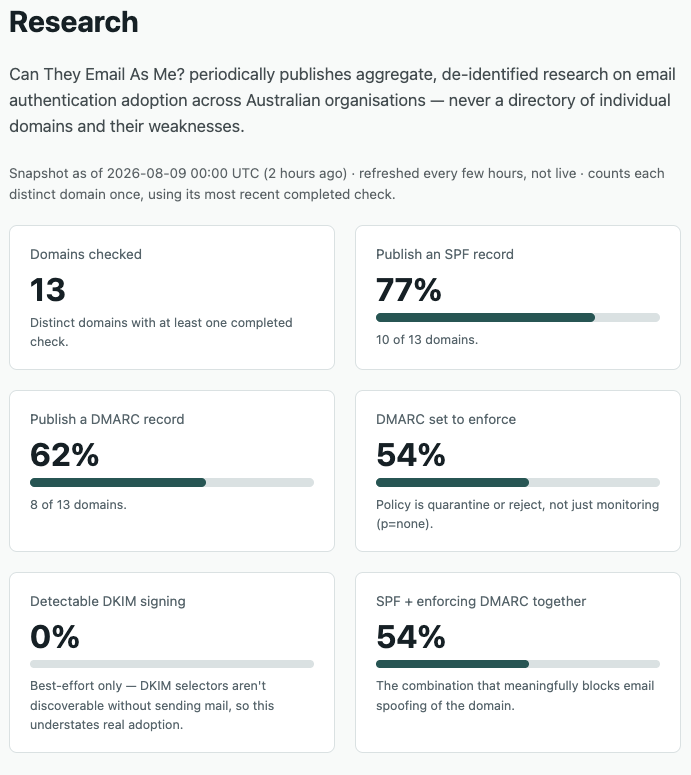 This is a snapshot of the preview’s users, not a representative sample of Australian organisations.
The DKIM result needs particular care. DKIM selectors are not generally discoverable unless you already know their names or receive an email carrying the signature. The tool makes a best-effort public check, but zero detectable DKIM does not mean none of these organisations sign their outgoing mail. It means the tool could not confirm it from the public information available to a passive check.
The wider statistics need the same honesty. These domains were voluntarily submitted by people using a new security tool. They are not randomly selected and do not represent the Australian economy, North Queensland, small businesses or charities as a whole. The numbers describe this early user base and nothing broader.
The risk extends beyond the domain owner
When a domain can be impersonated, the organisation itself is not the only potential victim. Its name and reputation can be used to target people who already trust it:
- a customer receiving a false invoice;
- an employee receiving an urgent request that appears to come from a manager;
- a supplier being told that bank details have changed;
- a volunteer being asked to disclose information; or
- a community member responding to a message carrying a familiar name.
Getting SPF, DKIM and DMARC right also contributes to the reputation of legitimate mail. It does not guarantee inbox delivery—content, sending behaviour, IP reputation and receiver decisions still matter—but it gives receiving systems better evidence about which messages are genuinely authorised by the domain owner.
Why make this another free tool?
I keep returning to the same problem in cyber security: the person responsible for an organisation often does not know what question to ask, and the first useful answer can sit behind too much jargon or too much sales friction.
A business owner, school leader, charity treasurer or IT volunteer should be able to check a public-facing security control without handing over credentials or beginning a procurement process. This is particularly important for smaller organisations in Townsville, Cairns and regional Australia, where one person may look after technology alongside several completely different responsibilities.
The tool is intentionally narrow. It is not a penetration test, it cannot inspect mailbox settings, and it cannot confirm every legitimate sender from public DNS alone. What it can do is make an important external signal visible and give someone a practical place to begin.
What I want to learn from the preview
The project is live, but I still consider it a preview. I want to learn:
- whether the main result is understandable without an email-security background;
- whether the explanations make the limitations clear;
- whether the next steps are practical for an organisation and its provider;
- which legitimate mail systems are most often missed during DMARC planning; and
- what would make the result more useful in a management or board conversation.
If you own or manage a domain, try Can They Email As Me? and let me know what is useful, confusing or missing.
Even if the result simply confirms that the right protections are already in place, that is worth knowing. If it identifies a gap, it is much better to find it through a two-minute passive check than through the invoice scam or impersonation attempt that proves it was there.