Ubiquiti UniFi Network Design & Review Across Australia
Independent UniFi network design and quote reviews, so the network you pay for suits your building, your people and the devices they use.
I’m Nicholas O’Sullivan, usually Nick. I’m a Townsville-based IT professional, certified by Ubiquiti Academy in UniFi Routing, Switching & Cybersecurity Admin and UniFi Wireless Admin. From Townsville, I design, plan and review UniFi networks for businesses, schools, churches and community organisations across Australia.
I’m not a cabling installer. My work happens before and around the installation: working out what the network needs to do, designing it, checking what has been proposed, and configuring and testing equipment before it goes live.
Book a consultation Ask about a quote review
Why an independent design is worth it
Ubiquiti’s UniFi range is capable and good value, which is why it appears in so many business and school quotes. It is also quick to install badly. Access points can be added to a quote, plugged in and left on automatic settings. The network works on installation day, then struggles when a room fills with people, or when a staff laptop, a guest’s phone and a security camera all end up on the same network.
Many quotes describe what will be supplied: a gateway, some switches and a number of access points. Fewer explain why. How many devices will each space need to support? Where will the access points be mounted, and at what power? How will staff, guests, cameras and payment terminals be kept apart? Who will control the system when the job is finished?
Those decisions shape how the network performs and how secure it is for years. Choosing equipment because your IT provider recommended it is reasonable. Being able to ask how it was designed for your site, and understanding the answer, is better.
Questions to ask before you accept a network quote
A good IT provider or installer will welcome these questions. If the answers are vague, a second opinion can save money and frustration later.
Coverage and capacity
- Was the design based on your floor plan? Wi-Fi planning should start with an accurately scaled floor plan and realistic wall materials. An access point count based on a brochure coverage figure rarely matches a real building.
- Is it designed for coverage or capacity? A full signal icon doesn’t mean there is enough airtime to go around. A classroom of tablets, a meeting room or a function hall needs a different design from a corridor.
- What channel widths and transmit power will be used? Maximum power and the widest channels are not automatically better. Busy sites often work better with more access points at lower power, planned so neighbouring access points are not competing for the same channel.
- How will devices roam? Phones, laptops and scanners need to move between access points without dropping calls or sessions. The overlap between access points should be planned, not accidental.
- How will the finished network be checked? Ask whether someone will walk the site with real devices after installation and compare the results with the design.
Security and resilience
- How are different devices kept apart? Staff computers, guest Wi-Fi, cameras, printers, payment terminals and smart devices shouldn’t usually share one flat network. Ask which networks, firewall rules and guest isolation settings are planned.
- How will the network be managed remotely? Opening ports on your internet connection for remote management is an avoidable risk. Administrator accounts should use multi-factor authentication, and firmware should be kept up to date.
- Can the switches power everything, with room to grow? Newer access points and cameras draw more power over Ethernet. Check the switches can supply every powered device, now and after the next expansion.
- What happens when something fails? Ask about configuration backups, a backup internet connection where the organisation needs one, and how long it would take to recover from a failed gateway or switch.
Ownership and handover
- Who will own the UniFi console? UniFi’s Owner role has the highest level of control, including access to cloud backups. Your organisation should hold it, with your provider given the administrator access they need.
- What documentation will you receive? At a minimum, expect an IP address and network plan, a switch port map, access point locations, administrator access arrangements and a current configuration backup. Without these, you are tied to whoever set it up.
- How will the changeover happen? Ask how the new equipment will be configured and tested, and how long your organisation will be without a network while it is replaced.
How I can help
An engagement can be a one-off review of a quote, or cover a network from design through to validation.
Quote and proposal review
An independent review of a UniFi quote or network proposal before you commit. I check the design against your building and the way it is used, identify gaps in security, capacity and documentation, and give you clear questions to take back to your provider.
UniFi network and Wi-Fi design
A design built around your site, including access point placement and a channel plan in UniFi Design Center, network segmentation and firewall zones, switching and PoE requirements, and an equipment list your installer can quote and work from.
Pre-deployment configuration and cut-over planning
Gateways, switches and access points configured and tested in a controlled environment before they reach your site, with a cut-over plan and rollback steps. The aim is a changeover measured in minutes rather than a day without a network.
UniFi network health check
A review of an existing UniFi network covering firmware, administrator access and multi-factor authentication, console ownership, backups, VLANs, firewall rules, threat management and Wi-Fi settings. Findings are prioritised so your organisation can act on them.
Post-installation validation
A walk of the finished site with real client devices, in person or by guiding your installer through a WiFiman survey, checking signal quality, roaming and throughput against the design. Any adjustments are documented, so you know what changed and why.
A designer working alongside your installer
I don’t run cable or mount access points. I work with your chosen installer or IT provider, or help you brief one, so each part of the project is handled by someone focused on it. My advice is about what your site needs, whoever ends up supplying and installing the equipment.
Much of my experience comes from education and enterprise environments, where network changes can’t simply be tried out on the live network. I configure complex equipment in a controlled environment first, test it, and then deploy it with minimal downtime. That discipline suits a small office as well as a multi-building site. It means fewer surprises on installation day and a network that is documented from the start.
Over the years, I’ve worked with Ubiquiti, Cisco and Aruba equipment, as well as firewall platforms such as pfSense and OPNsense. Using more than one platform helps me explain where UniFi is a strong fit and where another approach may suit the organisation better.
Certified in UniFi networking and Wi-Fi
I hold two Ubiquiti Academy certifications on the current UniFi platform, from cloud gateways and switching through to the latest Wi-Fi 7 access points.

UniFi Routing, Switching & Cybersecurity Admin
Network design, VLANs, switching, routing, firewalls, VPNs, threat management and secure administration of UniFi networks.
UniFi Wireless Admin
Radio-frequency fundamentals, wireless design, channel planning, capacity, roaming, site surveys and UniFi Wi-Fi deployment.
My experience with Ubiquiti began around a decade ago, with the original UniFi AP in a church network upgrade. It showed me how well-planned, affordable networking could serve an organisation with a limited budget. I’ve written about the UAP that won me over and shared the network upgrade proposal behind it.
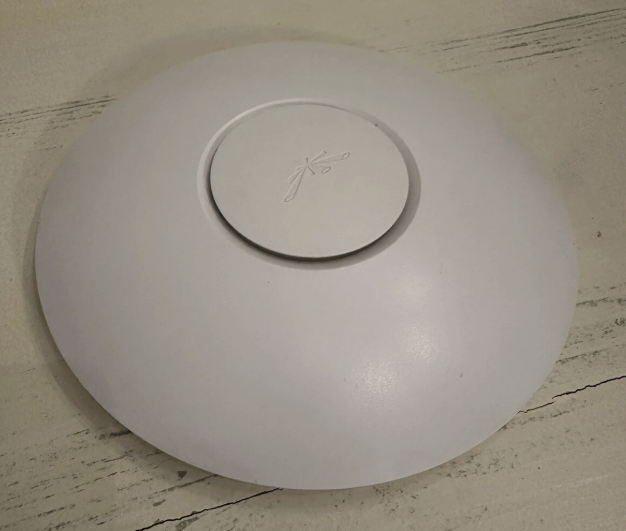 The original UniFi AP that started it all.
Who this suits
- Small businesses and offices that have outgrown a single router.
- Schools and early learning centres planning Wi-Fi for rooms full of devices.
- Churches, charities and community halls that need dependable staff and guest Wi-Fi.
- Sites with several buildings, sheds or outdoor areas to connect.
- Organisations with a UniFi network that nobody fully understands any more.
Talk about your network
Tell me about your site, what the network needs to do and where your project is up to. If you already have a quote or proposal, mention it when you get in touch and we can go through it together.
Scope, availability and fees are agreed before work begins. I’m based in Townsville and work with organisations Australia-wide. Quote reviews, design work and health checks can be done remotely from floor plans, existing documentation and secure access to your UniFi console. Site visits are available in North Queensland, and elsewhere by arrangement. See my general consulting services for Microsoft 365, cyber security and technology planning.
Ubiquiti, UniFi and related names are trademarks of Ubiquiti Inc. I’m an independent consultant and am not affiliated with or endorsed by Ubiquiti.