Completing Ubiquiti's UniFi Wireless Admin course
I’ve completed UniFi Wireless Admin (UWA), a two-day Ubiquiti course delivered by Leader in Townsville. After the three days I spent on routing, switching and cyber security, it was good to get back into a classroom and spend time on wireless design.
The lesson I took away is straightforward: design Wi-Fi around the experience of the people and devices using it. A phone needs to keep working as someone walks between rooms. A check-in tablet needs a reliable connection at the front desk. A room full of students in a classroom needs enough capacity, not just a strong signal icon.
What the two days covered
Leader’s UWA course outline moves from radio-frequency fundamentals and 802.11 networking into wireless LAN planning and deployment. It covers propagation, attenuation, channels, channel widths, interference, signal-to-noise ratio, site surveys, airtime and capacity. There is also practical work with UniFi controllers and access points, followed by an exam. There’s a lot more, but that content is best for the course. Ubiquit already publish lots of useful information on deploying Wi-Fi environments at scale.
That theory matters when planning Wi-Fi at scale. Adding access points wherever a floor plan has a blank space might provide coverage, but it does not tell you whether clients can send data back, whether neighbouring APs interfere with one another, or how devices behave as they move.
Signal quality, not just signal strength
One useful way to think about a wireless link is its signal-to-noise ratio (SNR). When both readings are expressed in dBm at the receiver, subtract the noise floor from the received signal level. For example, a signal of -50 dBm against a noise floor of -80 dBm gives 30 dB SNR: -50 - (-80) = 30. That margin tells us more than a signal reading on its own, and it can change as people move or the radio environment changes.
The Shannon-Hartley relationship describes the theoretical upper limit of a channel in terms of bandwidth and SNR. Wider channels and cleaner signals offer more potential capacity, but that limit is not the throughput a Wi-Fi client will actually see. Interference, contention, protocol overhead and retries still matter.
That leads into modulation and coding schemes (MCS). Modulation maps data to distinct waveform states, often using changes in phase and amplitude, while the coding scheme adds resilience to errors. More complex modulation can carry more bits in each symbol, but the receiver needs enough SNR to distinguish those symbols reliably. If conditions deteriorate, the link may use a more robust, lower-rate MCS or suffer errors and retries. Cisco’s Wi-Fi 6 technical paper illustrates the trade-off between higher-order QAM and the SNR it requires.
Reflections create another challenge. When delayed copies of a transmission arrive late enough to overlap the next OFDM symbol, they can cause intersymbol interference (ISI). A guard interval gives those delayed copies some time to arrive before the useful part of the next symbol is decoded. A longer interval offers more tolerance to delay, at the cost of some efficiency. An early IEEE 802.11 OFDM proposal explains this relationship between multipath, the guard interval and symbol interference.
Auto settings are a starting point
Leaving every access point on Auto can work well in some environments. UniFi’s Channel AI can analyse the surrounding network and recommend channels, and some newer models, including the U7 Pro Max and U7 Pro XGS, have dedicated spectral scanning hardware. Those are useful tools, but a larger deployment still needs a plan for placement, channel width, transmit power, overlap and the mix of client devices.
For a busy site, the aim is enough overlapping coverage for clients to roam while avoiding excessive overlap and co-channel interference. That may mean planning channel reuse, adjusting transmit power, mounting APs where their signal reaches clients properly and considering directional antennas in suitable spaces. HPE Aruba’s Wi-Fi design guidance makes the same point: balance coverage and capacity, then survey with the devices people will actually use. A newer Wi-Fi 7 AP does not remove the need for that work.
We also spent time thinking about settings that affect roaming and airtime. Minimum Data Rate Control, configured per SSID, can reduce the time slow transmissions occupy a channel, but setting it too high can exclude older or distant devices. Minimum RSSI can disconnect a client whose signal has fallen below a chosen threshold, but it cannot force that client to join a better AP. If the threshold is too aggressive, it can make the connection worse. These are settings to test with real devices at the edges of the intended coverage area, not numbers to copy into every site.
An equal-airtime example helps show why lower rates matter. If two clients each use half the airtime, one transmitting at 150 Mbps and the other at 30 Mbps, their average physical transmission rate over that time would be (150 + 30) / 2 = 90 Mbps. This is only an illustration, not a WLAN capacity forecast: clients do not necessarily get equal airtime, and contention, management traffic and retransmissions reduce usable throughput. It does show why a slow client can occupy airtime that others need.
Plan, measure and adjust
Ubiquiti has a useful set of tools for that cycle. UniFi Design Center lets you upload or draw floor plans, place access points and estimate coverage across multiple floors before installation. After deployment, the WiFiman mobile app can test speeds over Wi-Fi or mobile data. With a UniFi gateway, its Signal view also tracks signal strength, throughput, latency and roaming as you walk the site. On a supported LiDAR-equipped phone, Floorplan Mapper records coverage across the rooms you visit.
WiFiman has other useful features beyond wireless surveys. Device Discovery shows connected devices and their IP addresses, which can help when troubleshooting adoption, while Teleport provides remote VPN access to a UniFi network through a compatible gateway. The app is available for iOS, Android and desktop, but the desktop version supports only Device Discovery and Teleport. The speed, signal and floor plan tools are mobile features. I see Design Center’s predicted coverage and WiFiman’s on-site measurements as complementary views of the network.
For hardware choices, Ubiquiti’s Tech Specs site makes it easier to compare access points, switches, gateways and the wider product range. I would still check the requirements of the room and its clients before choosing the model with the largest headline coverage figure.
Another worthwhile week of learning
The course confirmed lessons I’ve picked up while working with Aruba, Cisco and Ubiquiti equipment over the years, including the original UAP deployment that first won me over. It also gave me more confidence in designing and reviewing wireless networks where several access points and many different devices need to work together. I’m pleased to have completed the UWA certification, and I’m grateful that this classroom training was available in Townsville.
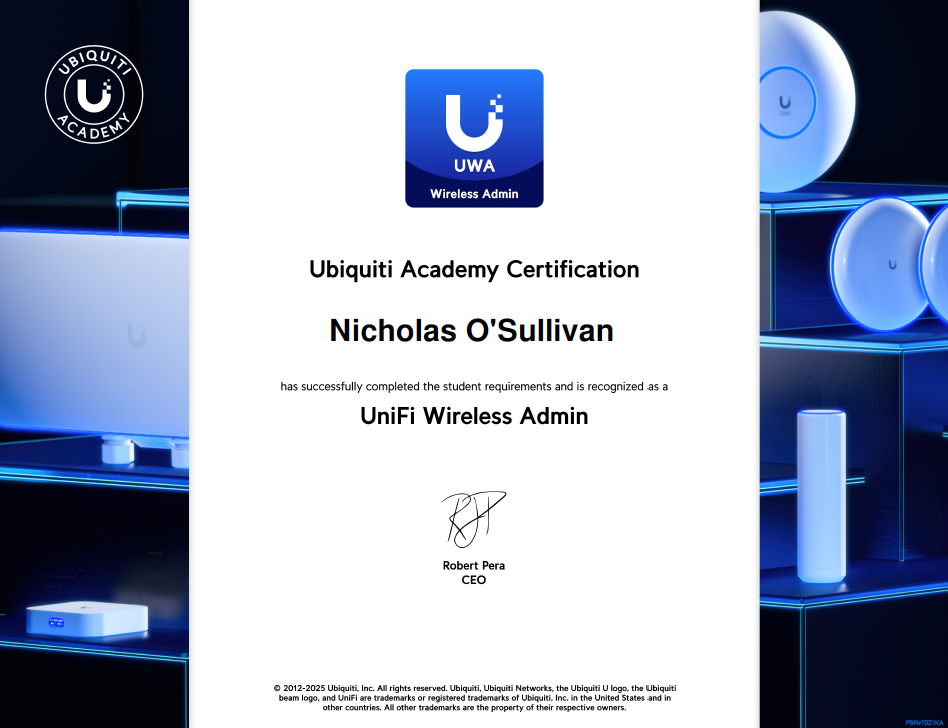
View the full-size UWA certificate. I’ve also added the badge to my Skills page. For the wider certification pathway, see Ubiquiti’s official training page.